New updates and improvements to Aviator.
Follow us:

We recently released agent plugins for the Aviator CLI that bring stacked PR workflows to coding agents like Claude Code.
The av-cli plugin teaches Claude Code and other coding agents how to use the Aviator CLI (av) for branch and PR management. Once installed, the agent will:
av commands instead of raw gitav branch so dependencies stay intactav pr — no more manually fixing targetsav sync when parent branches change--continue, --abort, and --skip flagsav adopt --remote for collaborating on shared stacksInstall from the Claude Code plugin marketplace:
/plugin marketplace add aviator-co/agent-plugins
/plugin install av-cli
Prerequisites: Aviator CLI installed, repo initialized with av init, and GitHub CLI or a GitHub PAT for auth.
The plugin activates automatically in av-initialized repositories — no extra prompting required.
Stacked PRs let you break large features into small, reviewable chunks while maintaining dependencies between them. Instead of one massive PR that nobody wants to review, you get a chain of focused, incremental changes. When a parent branch changes, av sync automatically rebases the dependent branches.
Pair that with a coding agent that actually understands the workflow, and you get fast iteration without the manual bookkeeping.
Check out the plugins repo: github.com/aviator-co/agent-plugins
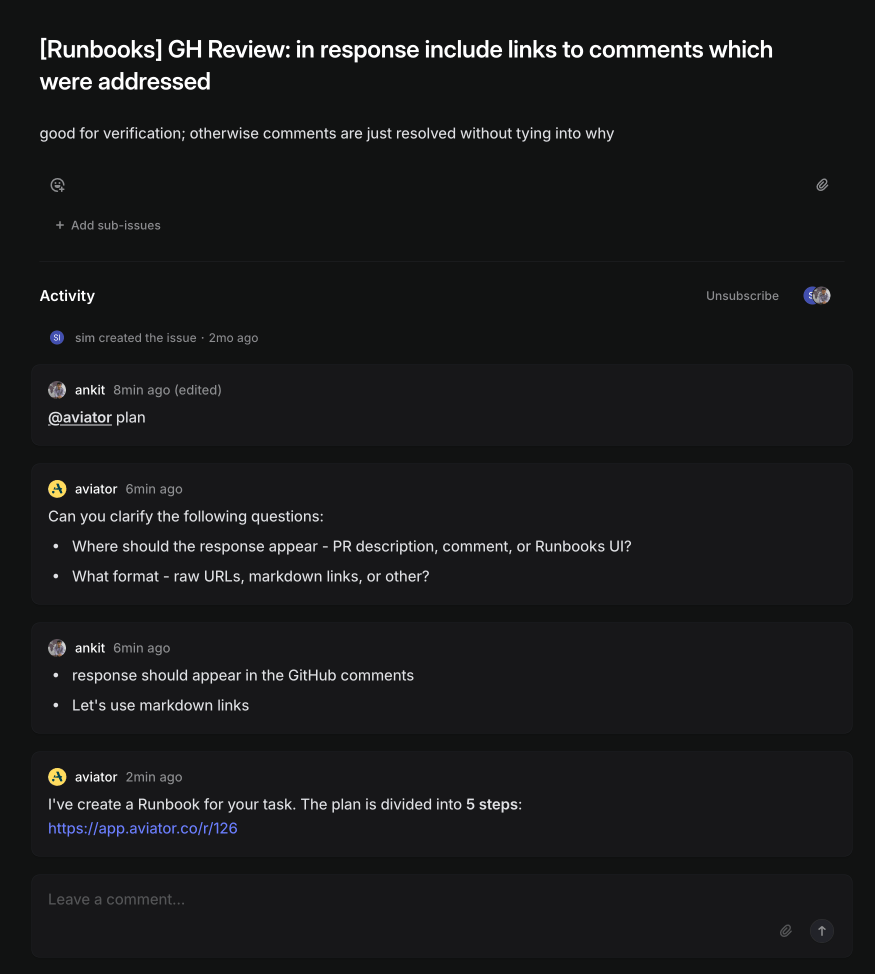
Runbooks becomes addressable from places other than the dashboard — Linear, a REST API, existing PRs, and uploaded spec files.
Kick off a Runbook directly from a Linear issue.
Create and monitor Runbook sessions programmatically.
POST /api/v1/runbook creates a session — pass a repo, a prompt, and optional title, pr_mode, and target_branch.GET /api/v1/runbook/<runbook_number> returns the session status, step tallies (generating / not started / in progress / partially completed / completed / failed), and any PRs the session has opened./aviator revise now works on PRs that weren't created by Runbooks.
Upload .md and .txt spec files from the Runbooks page to seed a session.

Runbooks gets a major chat UX rewrite and scoped-per-repository configuration, plus a round of MergeQueue improvements focused on scale and control.
The chat session becomes the primary surface for steering the agent — including on PRs that are already up for review.
Runbook configuration now cascades through three levels: Account → Repository → Session.
master during bot PR creation.
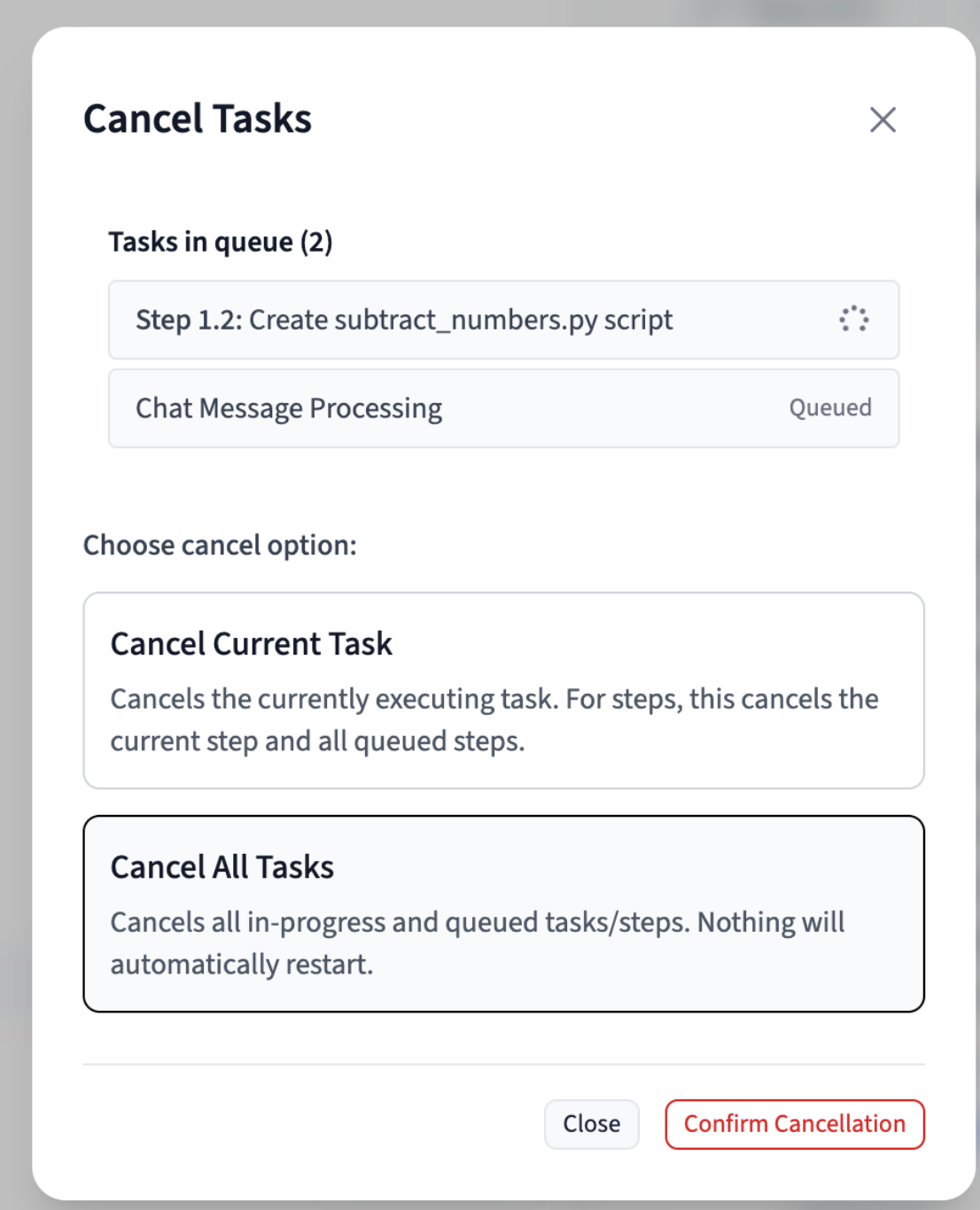
Runbooks picks up three primitives that make longer sessions safer to work in: reverting completed steps, deleting steps outright, and a proper task queue that serializes everything you do in a session.
Roll a runbook session back to any previously completed step.
Remove steps from a runbook without touching git.
Every action inside a runbook session now flows through a per-session task queue.
/aviator revise commands, and automatic CI rework — concurrent actions no longer step on each other.
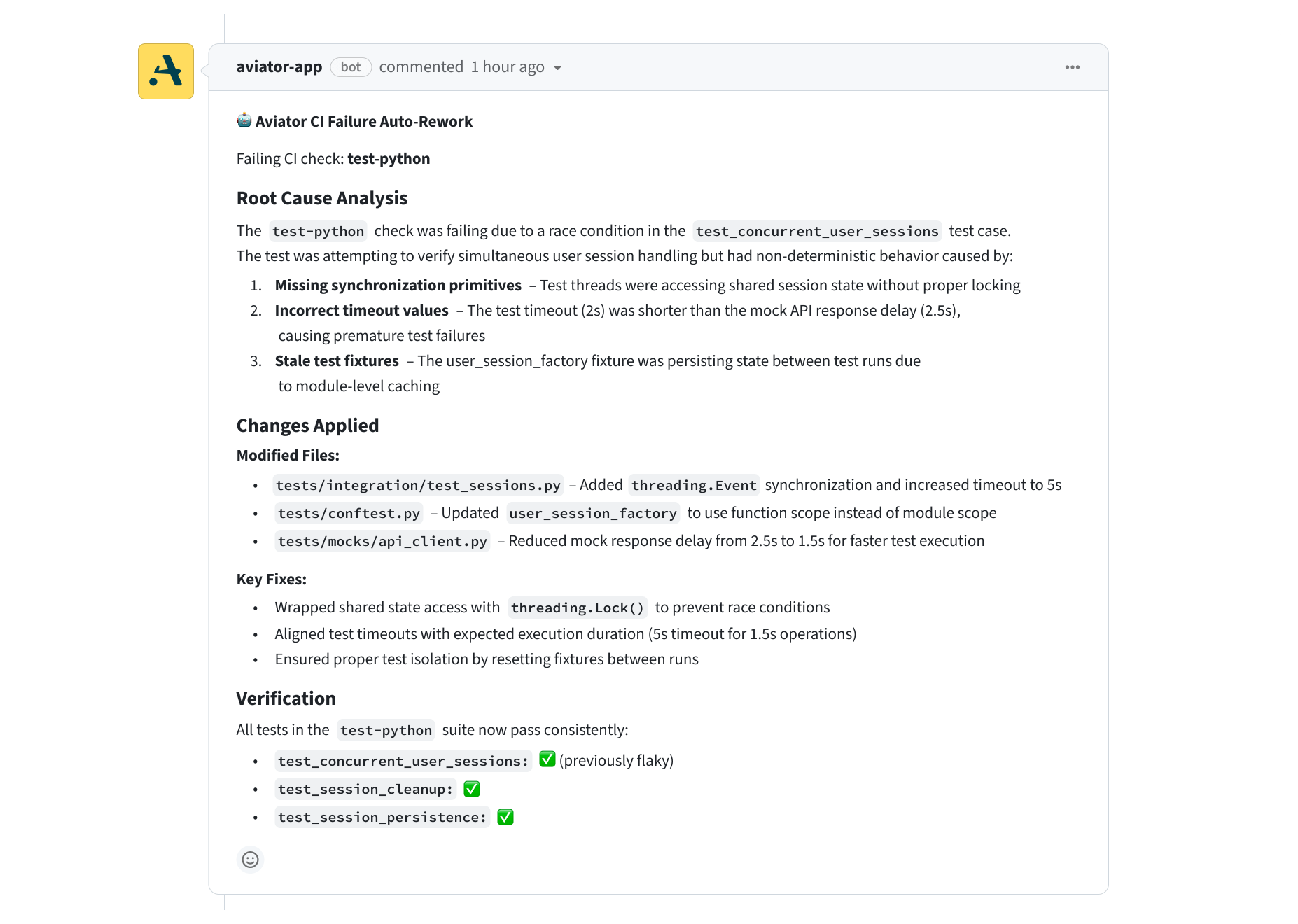
Runbooks gets a lot more hands-off this month. When CI breaks, the agent fixes it itself. When reviewers leave comments, the agent addresses them. And admins get a proper dashboard plus a kill switch.
Runbooks now watches CI on its own PRs and reruns the agent when checks fail. No more babysitting the build — the agent reads the failure logs, figures out what broke, and pushes a fix. Works with both GitHub Actions and Buildkite.
0 to keep the old manual behavior./aviator reviseRunbook-generated PRs now close the review loop automatically. Leave review comments the way you normally would, then drop /aviator revise as a PR comment — the agent reads every unresolved review comment on the PR, applies the requested changes, and pushes an update. No need to restate the feedback or stitch comments together manually.
/aviator revise also make sure we don't break the existing snapshot tests lets you add extra guidance alongside the review comments when you want to nudge the agent.Two additions for workspace admins who want visibility and control:
/runbooks/admin-dashboard with date-filtered usage stats: total runbooks created, step executions, top users and repos, and daily activity trends. Useful for tracking adoption and spotting heavy users.